Trusted by authors and publishers in 34 countries — since 2008
Kindle Conversion Services — Hand-Coded KPF Files That Pass KDP First Time
Your manuscript took months to write. It deserves a Kindle file that works. Not one that KDP flags on upload. Not one with a broken table of contents. Not one where footnotes show as blank pop-ups on a Kindle Paperwhite.
At Ebookifi, our Kindle conversion services mean every file is hand-coded in HTML and CSS. No automated tools. No Calibre exports. We read your manuscript, build your KPF file from scratch, and deliver it within 72 hours — with your complete source files included at no extra cost.
Hand-Coded KPF File
Zero automation software, ever
Passes KDP Validation First Time
Guaranteed — not just claimed
72-Hour Delivery
Or your money back
Lifetime Warranty
Free fixes forever, no expiry
Get Your Kindle File in 72 Hours
Hand-coded by a specialist. No automation, ever.
HAND-
CODED
72-HOUR
DELIVERY
LIFETIME
WARRANTY
Choose Your Options to Get Started ↓
🔒 Secure checkout · Confirmation email sent instantly
Manuscript over 500 pages, or need something special? We'll quote it personally.
What Every Kindle Conversion Includes — No Extras, No Surprises
Need it in 24 hours? Rush delivery is available as an add-on at checkout for a flat $25.
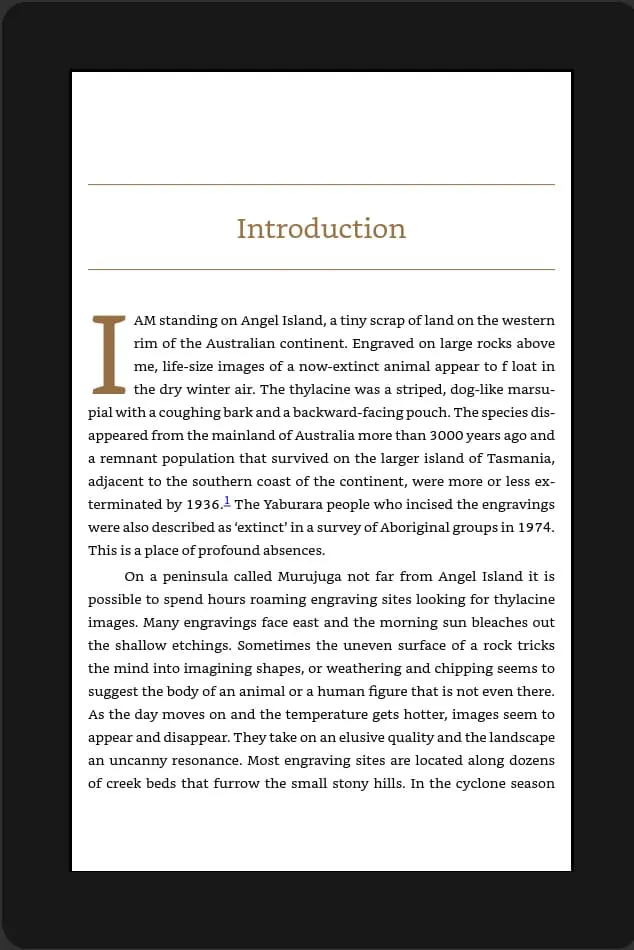
Books often use several different fonts throughout — one for chapter headings, another for dropcaps, a distinct style for pull quotes. These are easy to lose in conversion, leaving the whole book in one flat, generic typeface. We embed every font your manuscript actually uses, so it displays consistently on every Kindle device — not substituted with whatever font the reader's device defaults to.
Isn't My Word Document Already Kindle-Ready?
KDP officially accepts a .docx upload — but accepting it isn't the same as recommending it. When you upload a Word document directly, KDP runs it through Amazon's own automated conversion engine — not a hand-built file, just software doing its best guess. It's a different starting point than the KPF file KDP recommends for the cleanest, most reliable result.
Kindle conversion, done properly, means hand-coding your manuscript in HTML and CSS so it flows correctly on every device and stays compatible across every platform Amazon supports — not running it through an automatic converter and hoping for the best.
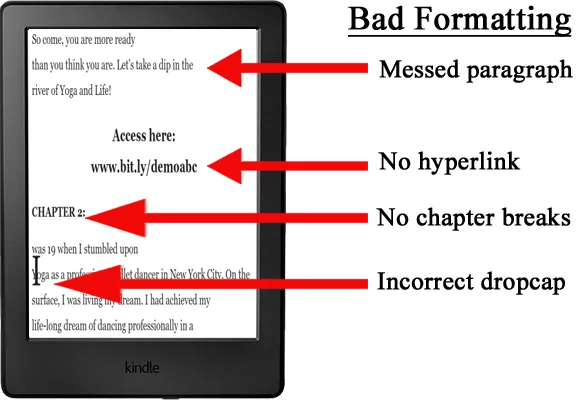
Common Kindle formatting issues:
- ✗ Broken or missing table of contents and navigation
- ✗ Inconsistent spacing, indentation, and scene breaks
- ✗ Italics and bold formatting lost or applied inconsistently
- ✗ Images shifting position or triggering oversize file warnings
- ✗ Poor chapter structure — hurts readability and the "Look Inside" preview
- ✗ Kindle-specific quirks handled incorrectly: drop caps, lists, tables, footnotes, superscripts, fonts
None of this means your book gets rejected outright — KDP will usually still publish it. It means the reading experience is left entirely to a black-box automated process, with no one checking whether it actually reads the way you intended.
Reflowable vs Fixed Layout — Which Does Your Book Need?
Reflowable
The format used by the overwhelming majority of Kindle books — novels, memoirs, non-fiction, business books, and most everything that is primarily text. The reader controls font size, spacing, and orientation, and the text reflows to fit. This is what our standard Kindle Conversion service on this page delivers.
Fixed Layout
Used for books where the exact position of text and images matters on every page — children's picture books, comics, and heavily illustrated titles. The page displays exactly as designed, at every screen size, the way a printed page would.
If your book needs fixed layout, our Fixed Layout Kindle service covers it — pricing and process differ slightly from standard conversion. Not sure which applies to your book? Contact us and we will tell you before you order.
Why Kindle Formatting Services That Use Automation Fail — And What We Do Instead
What Automated Conversion Produces
Most authors have seen this. You run your Word document through an online Kindle converter. The result looks acceptable on screen. Then you open it in Kindle Previewer.
The chapter headings are the wrong size. The paragraph spacing is inconsistent. The table of contents links to the wrong pages. Footnotes show as raw numbers with no pop-up. Images are either missing or stretched. And the file is 8MB for a 200-page text-only book.
You upload it to KDP anyway. KDP's upload check flags three errors. You fix one. The other two require going back into the HTML — which you cannot do because the converter did not give you source files.
This is not your fault. It is what automated conversion tools produce.
- ✗ Bloated code inflates file size — Amazon charges a per-megabyte delivery fee deducted from every royalty, so a messy file quietly costs you money on every sale (see the Royalty Calculator)
- ✗ Amazon's "Look Inside" preview uses a different rendering engine than Kindle devices — formatting that breaks there can cost you the sale before a reader opens the book
What Ebookifi's Kindle Conversion Delivers
We open your manuscript and read it before writing a single line of code.
We identify your paragraph styles, footnote format, heading hierarchy, image placement, and any sections that need special handling. Then we build your KPF file from scratch.
The result is a file that typically runs 40–60% smaller than an automated conversion of the same manuscript. It passes Kindle Previewer and KDP's upload checks without errors. The table of contents links correctly. Footnotes display as Kindle pop-up notes. Chapter headings are consistent throughout.
When you open it in Kindle Previewer, it looks exactly how your book is supposed to look.
- ✓ Built to qualify for Enhanced Typesetting — Amazon reserves its best reading experience, Page Flip navigation, zoomable high-definition images, properly rendered tables, for files that meet its formatting quality standard. We build to that standard, not just to open without errors.
- ✓ Compressed images and stripped-down code keep your file size, and delivery fee, as small as possible — protecting your royalty on every sale
- ✓ Tested to display correctly in Amazon's "Look Inside" preview, not just on Kindle devices
- ✓ Built to work with screen readers, not against them — proper heading structure and semantic HTML, not bold text pretending to be a heading, is what allows Kindle's text-to-speech and accessibility tools to work correctly
"73% of our Kindle conversions are delivered within 48 hours. The 72-hour window is our guarantee, not our average."
See It Pass Kindle Previewer's Own Check
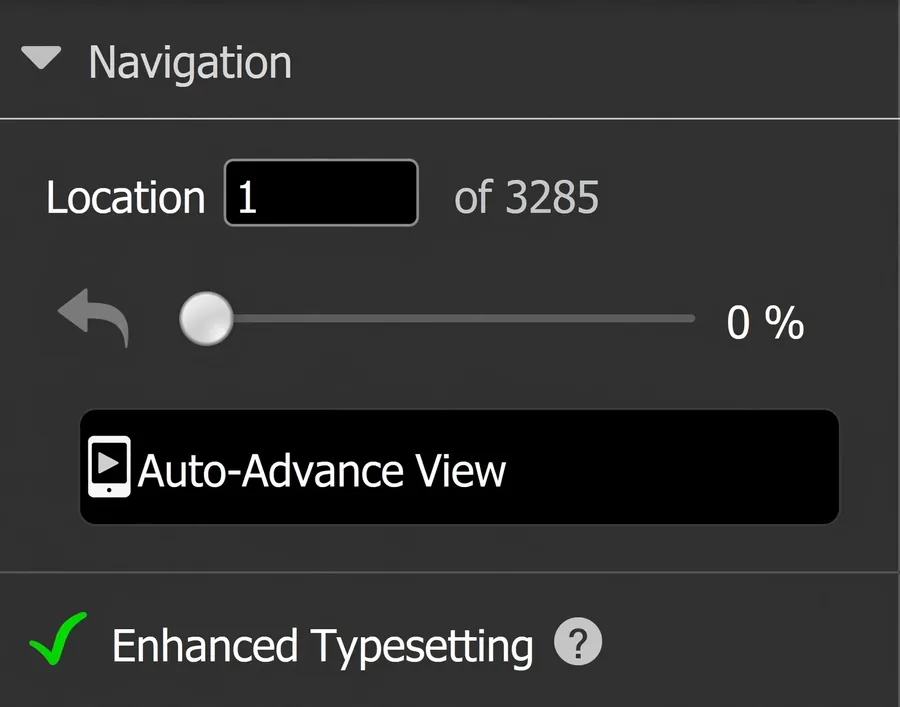
This is one of our converted books open in Kindle Previewer — Amazon's own tool for checking a file before it ever reaches KDP. The green tick beside Enhanced Typesetting confirms the file is clean enough to unlock Amazon's best reading experience: Page Flip navigation, zoomable high-definition images, and properly rendered tables. Before delivery we also confirm the table of contents, NCX navigation, and start-reading location in the same tool.
This is what we check before every file leaves us — not something we tell you to trust, something you can verify yourself. It's one part of our full quality process — see our Quality Standards page for the complete six-stage check every file goes through.
Our Kindle Conversion Service Is Built for Three Types of Authors
Publishing Your First Kindle Book
You have a finished manuscript and a publish date. You do not want to spend three days learning HTML. You want a professional file that passes KDP's upload process first time, looks correct on every Kindle device, and is ready for your launch.
That is exactly what we deliver. Order, upload, receive your file within 72 hours, and publish.
Your Current Kindle File Has Problems
KDP flagged your file. Or readers are reporting formatting issues. Or the table of contents links to the wrong chapters. Or you used an automated tool and now you are not happy with the result.
Send us your manuscript. We convert it properly. The source files we send back mean you are never locked out of your own book again.
Only need your existing file fixed, not rebuilt? See our eBook Validation & Repair service.
A Catalog Requiring Consistent Conversion
You need every Kindle file in your catalog built to the same standard. Same code structure. Same validation result. Same source file format. Same delivery process on each title.
We handle publisher catalogs. Volume discounts grow with the number of titles — contact us before ordering to discuss your catalog.
How Kindle Conversion Works
Order → Upload → Hand-Code → Receive. The same simple process for every service — full detail, including exactly how we handle special requests and revisions, is on our How It Works page.
Kindle Conversion Services Pricing — Simple and Transparent
| Manuscript Size | Price |
|---|---|
| Up to 50 pages | $30 |
| Up to 100 pages | $50 |
| Up to 150 pages | $65 |
| Up to 200 pages | $80 |
| Up to 250 pages | $95 |
| Up to 300 pages | $110 |
| Up to 350 pages | $125 |
| Up to 400 pages | $140 |
| Up to 450 pages | $155 |
| Up to 500 pages | $170 |
| More than 500 pages | Contact us → |
Page count at standard Word formatting — 12pt font, double-spaced, standard margins.
If your book contains complex elements or layouts — tables, equations, heavy footnotes or endnotes, many images, or text in more than one language — please use our custom quote form so we can price it accurately before you order.
Every order includes: Hand-coded KPF · Complete source files · Kindle Previewer testing · Cover image · Full metadata · One revision pass · Lifetime warranty
Also publishing on Apple Books or Kobo?
Add ePub Conversion and Save $20–$160
One manuscript. Both formats. One delivery within 72 hours.
Word to Kindle Conversion, PDF to Kindle Conversion — We Accept All Formats
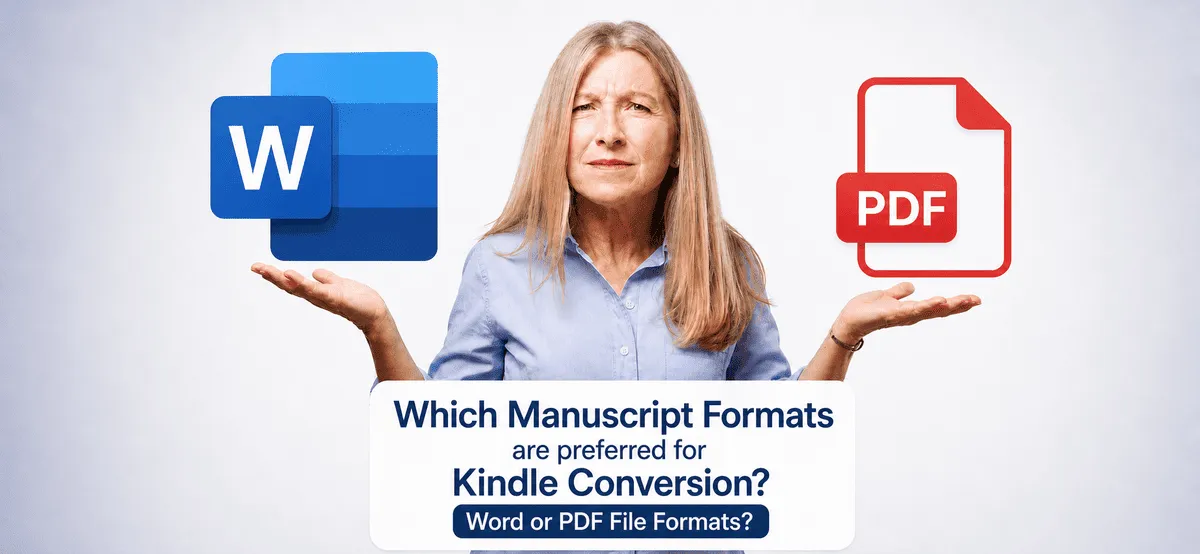
Source File Formats We Accept
We work with every major manuscript format:
- ✓ Microsoft Word — .doc and .docx — any version
- ✓ Adobe PDF — standard, print-ready, and scanned
- ✓ Adobe InDesign — .indd and .idml
- ✓ Apple Pages — .pages
- ✓ Open Office and LibreOffice
- ✓ HTML files
- ✓ Scanned physical books (with OCR)
If your manuscript is in both Word and PDF, send the Word file. It produces a cleaner conversion with fewer extraction steps. If your only source is a PDF, that is fine — we extract carefully and compare every page of output against your original.
Content Types We Handle
We convert manuscripts across every genre and content type:
- ✓ Fiction — novels, novellas, short story collections, poetry
- ✓ Non-fiction — memoir, biography, self-help, business, history
- ✓ Academic — research texts, theses, journal collections
- ✓ Technical — manuals, guides, how-to books with code or diagrams
- ✓ Children's — illustrated books
- ✓ Multilingual — Arabic, Chinese, Japanese, and other scripts
- ✓ Complex — equations, footnotes, tables, musical notation
If another service turned your manuscript down, contact us before assuming we cannot handle it. Complex manuscripts are where we do our most careful work.
See the Difference — Real Kindle Formatting Examples
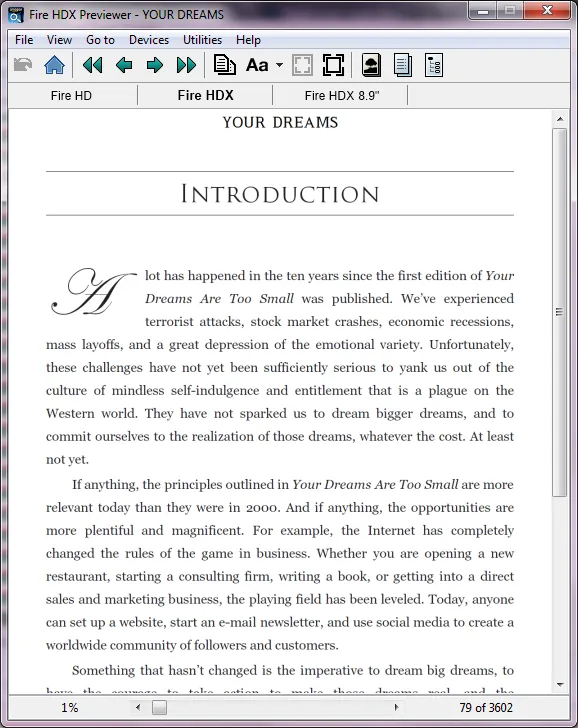
Dropcaps with Font Styling
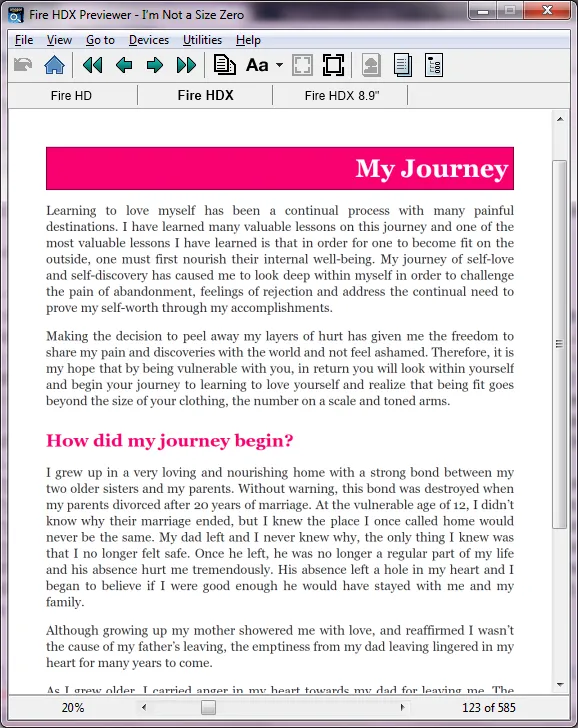
Chapter Heading Styles
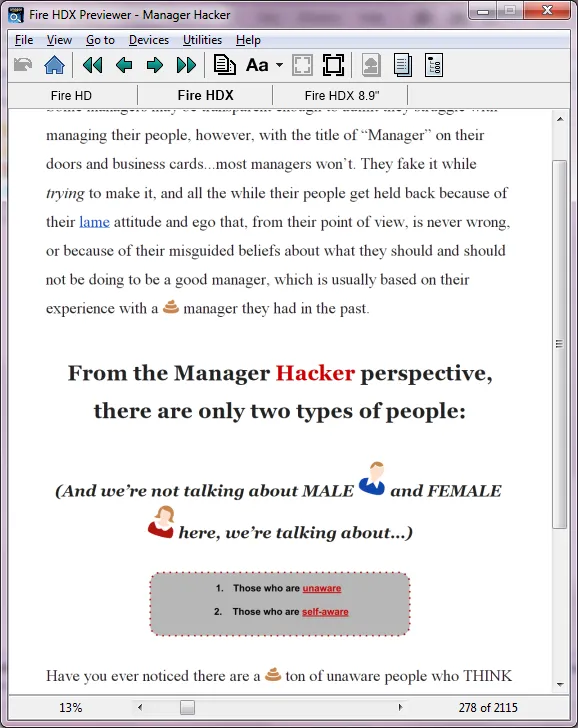
Inline Images, As Positioned in Your Manuscript
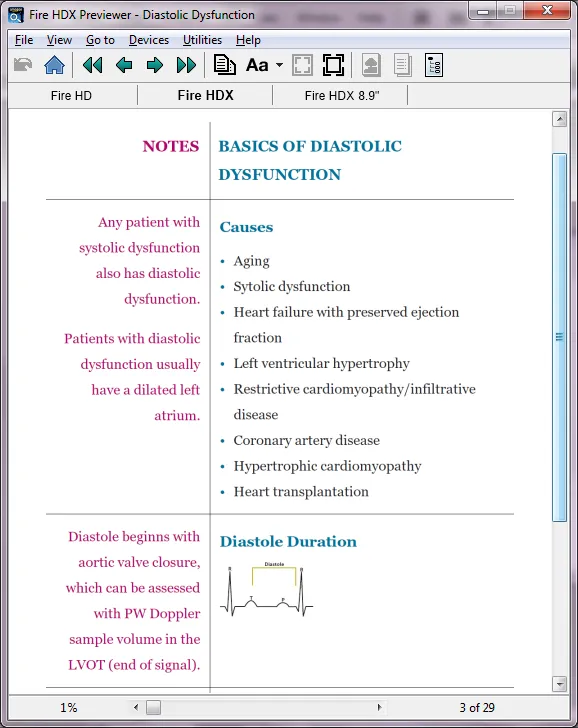
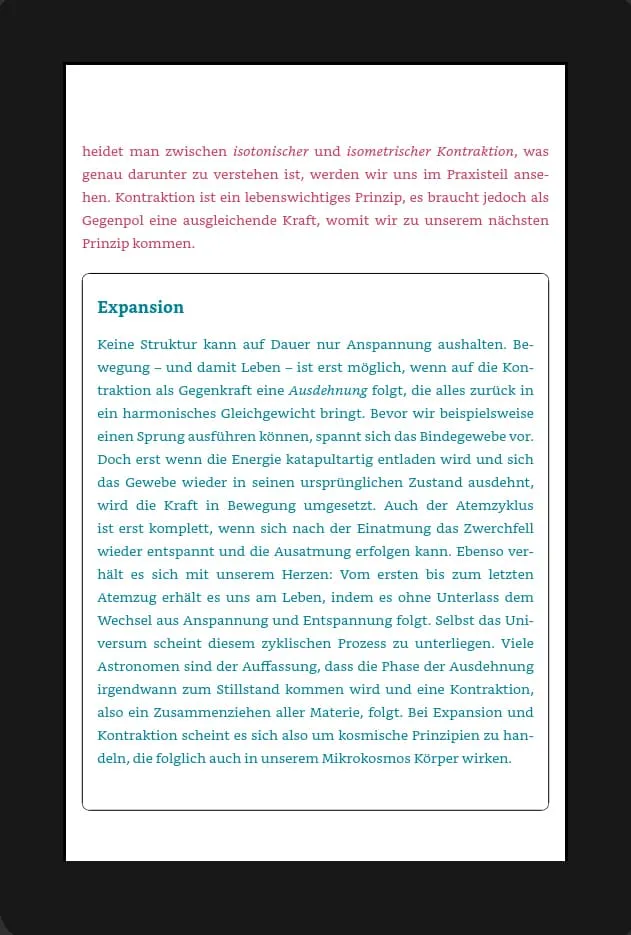
Hand-Coded Tables with Box Styling
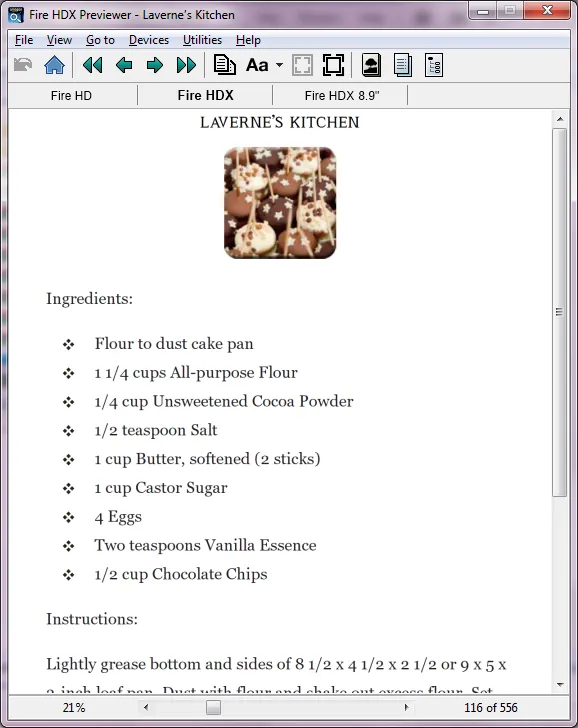
Recipe & Structured-Content Formatting
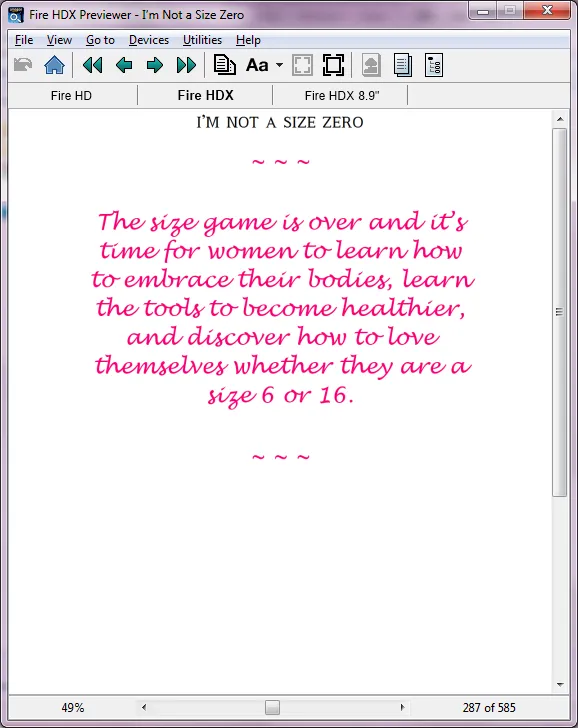
Quotes, Styled to Match Your Manuscript
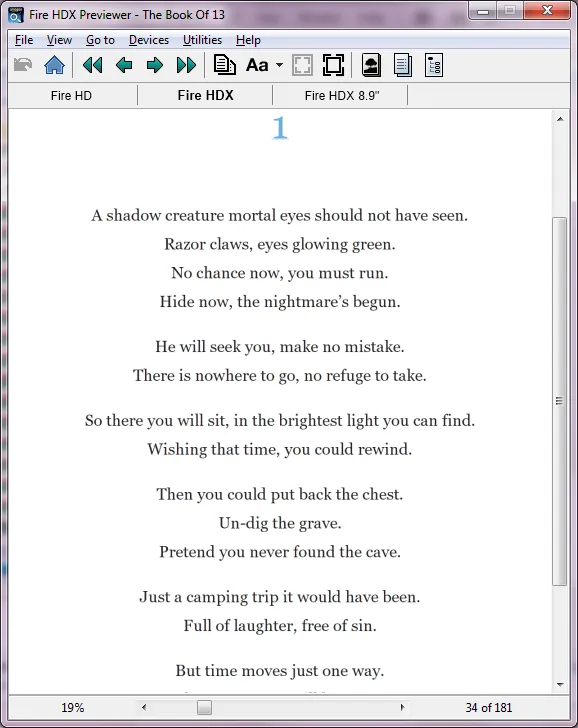
Poetry, With Preserved Line Breaks
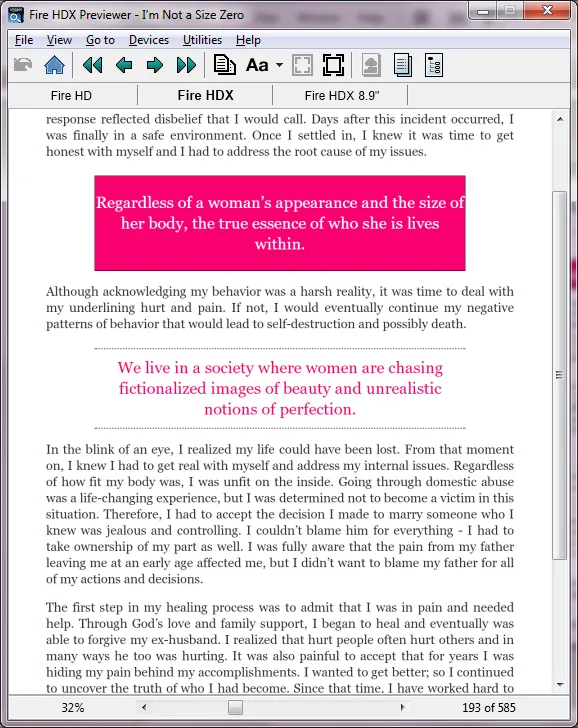
Box Stylings & Colour Treatments
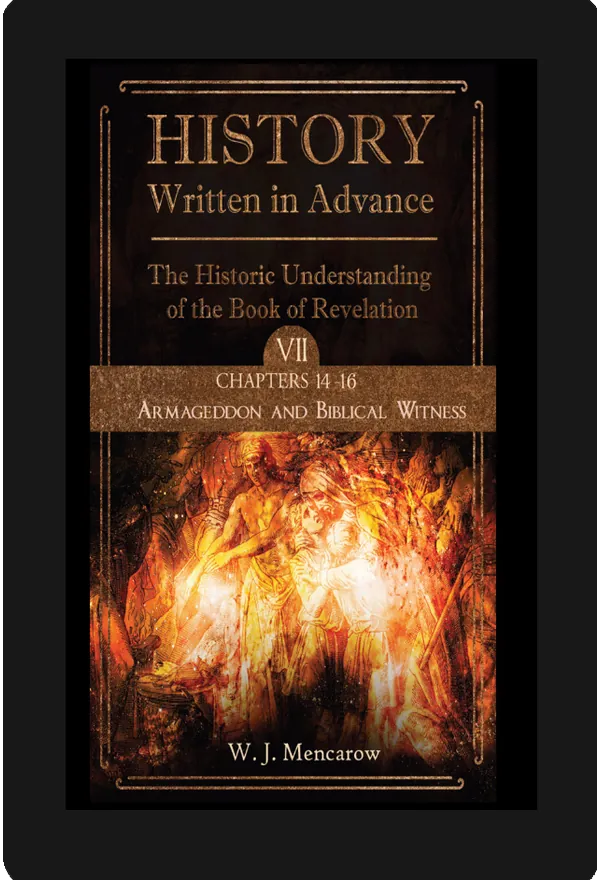
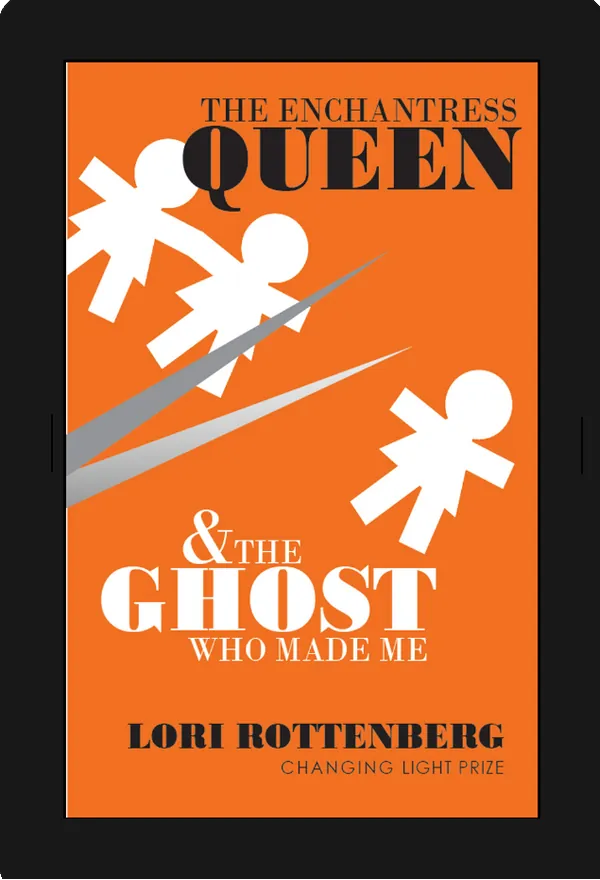
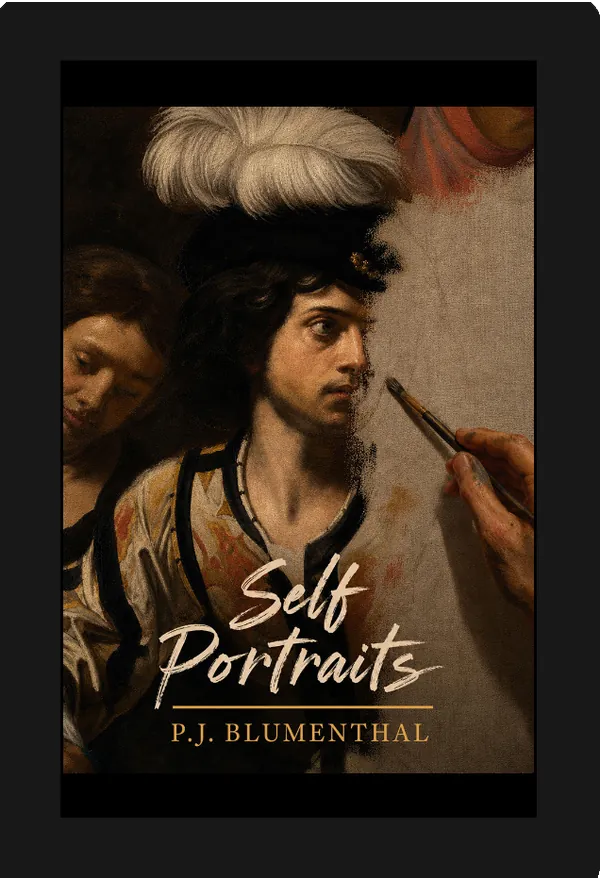
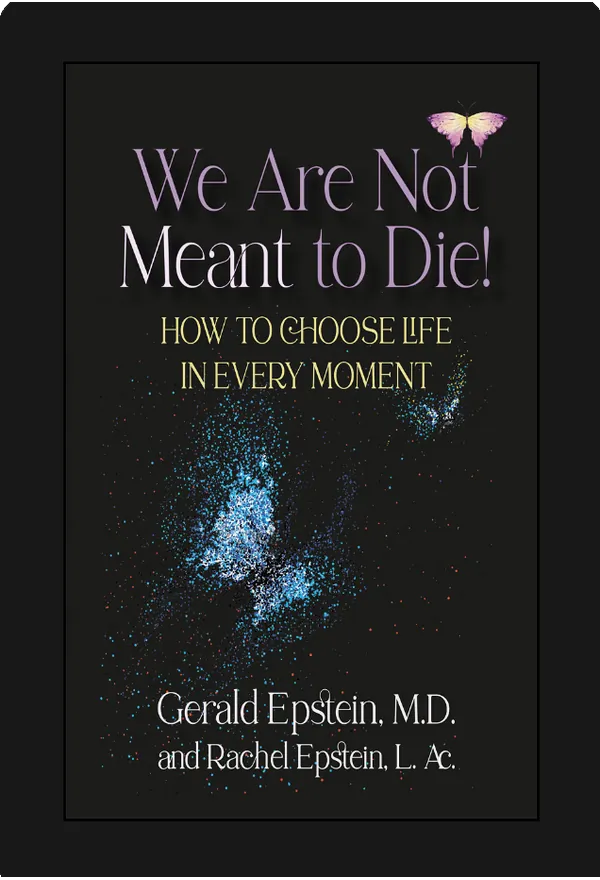
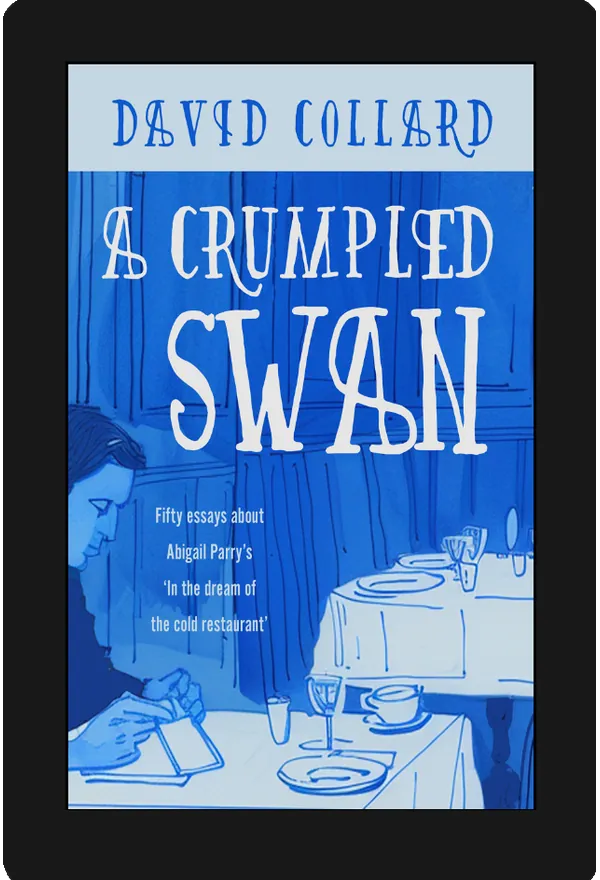
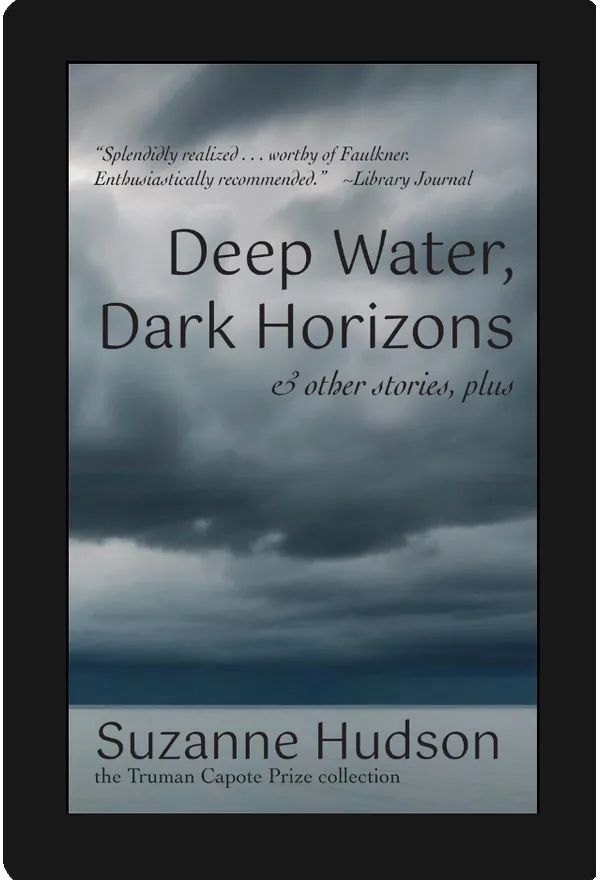
Recent Kindle Conversion Examples








Some of the Authors We've Worked With

Amy Griffith
Author - The Breastfeeding Twins Guide

Anthony Goulet
Author - Street Outreach: Love, Service & Leadership

Ashlin Teebaran
Author - Sinister Spells

Becky O'Donnell
Author - Healthy Meals, Snacks and Swaps

Brittaney Powell
Author - Honeybees & Wallflowers
David Hale
Author - If I Were An Eagle

Helen Murphy
Author - Feliz Navidad

Janet Shaughnessy
Author - The Truth About Transcription
Kurt Norton
Author - My Life with Audree

Laurent Grenier
Author - Meditation Time

Nadine Lalich
Author - Evolution

Norman Whaler
Author - But The Sparrow Stayed

Pamela Nigro
Author - Poems Among the Trees

Thomas Mason
Author - The Aleri Encounter

Tiffany Morelli
Author - How to Create Lifetime Cash Flow Through Multifamily Properties
What Authors Say About Our Kindle Formatting Services
Ebookifi took a complicated text and layout and expertly handled the ebook conversion, having no problem with the Sanskrit diacritics or the Chinese characters that were in the print version. We wanted a Kindle version with reflowable text that retained the print page numbering and Ebookifi delivered on all accounts. Working carefully and swiftly, they were able to make corrections and incorporate suggestions quickly and efficiently. They are willing to provide exactly what you need. I highly recommend them.
My book is a finance book with charts, tables, and complex formatting, but they managed to format the eBook perfectly for Kindle and Smashwords. Pravin and his team responded to my queries quickly and precisely. I will be using them exclusively for future eBooks!
From your website, it was clear to me that your company knew what they were doing. My book is long and complex, but I was pleasantly surprised by the quotation I received, so I decided to go ahead. I was completely blown away to have the completed job returned to me finished within about 24 hours! I would have no hesitation whatsoever in recommending Ebookifi for your epub or Kindle conversion, and I will certainly be employing their services again in the future.
Kindle Conversion Services — Frequently Asked Questions
We deliver a KPF file — the format you upload directly to Amazon KDP. KPF is Amazon's Kindle Package Format. After you upload it to KDP, Amazon's system compiles it into its delivery format for readers' devices. You never handle that delivery format directly. The KPF file we deliver is what you upload.
Automated tools convert your manuscript using software — typically producing large, messy files with inconsistent formatting and no source files. We build your Kindle file by hand in HTML and CSS. The result is a smaller, cleaner file that passes KDP's validation and displays correctly on every Kindle device. We also give you the complete source files so you are never locked out of your own book.
You send us your Word document. We open it, review your paragraph styles, headings, footnotes, and formatting, then build your KPF file from scratch in HTML and CSS. For Word files, we work with the styles and structure in your document — which is why we recommend sending the Word file rather than a PDF export of it wherever possible.
Yes. PDF to Kindle conversion is more complex than Word because PDF files do not contain document structure in the same way — text exists as positioned objects on a page, not as styled paragraphs. We extract the text carefully, rebuild the document structure, and compare every page of the converted output against your original PDF using professional PDF comparison software. This catches anything that did not transfer cleanly.
Send us the KDP rejection notice. We identify the specific error in the code and fix it. Platform rejections caused by our conversion are corrected at no charge. This is included in every order — not a separate service.
Yes. Rush delivery — your KPF file within 24 hours of receiving your manuscript — is available as an add-on at checkout. It is a flat $25 on top of the standard order price. Contact us before ordering if you have an urgent deadline and we will confirm availability.
If the issue is something we got wrong in the conversion — broken formatting, a coding error, anything caused by our work — we fix it at no charge, covered by your included revision pass. If you want to change your manuscript's actual content after delivery — new text, restructured chapters, edits unrelated to the conversion — that is a separate small-fee request, since it is new work rather than a correction. Just ask and we will quote it.
Kindle conversion starts at $30 for manuscripts up to 50 pages and rises to $170 for up to 500 pages. Longer manuscripts are quoted individually. Every price includes the hand-coded KPF file, complete source files, one revision pass, and the lifetime warranty. See the full pricing table above.
Yes. Once you have reviewed your file, reply to your delivery email and we will help you through the KDP upload step.
Ready to Get Your Book on Kindle?
Professional Kindle conversion services from $30. Hand-coded KPF file. 72-hour delivery. Lifetime warranty.
✓ Hand-coded — zero automation ✓ KPF file + complete source files ✓ 72-hour guaranteed delivery ✓ Lifetime warranty — free fixes forever
Need it in 24 hours? Add rush delivery at checkout.