
Precisely positioned, built for Region Magnification
Fixed Layout Kindle Services — Precisely Positioned Books Built for Region Magnification
Your picture book, comic, or cookbook needs every element locked exactly where you designed it — with the tap-to-zoom experience Kindle readers expect. Our Kindle fixed layout service hand-codes each page with live text and correctly configured Region Magnification, and we're upfront about exactly what Kindle's format can and can't do, before you order.
Hand-Coded, Page by Page
Zero automation software, ever
Correctly Configured Region Magnification
The real tap-to-zoom feature Kindle uses
72-Hour Delivery
Or your money back
Lifetime Warranty
Free fixes forever, no expiry
Get Your Fixed Layout Kindle Book in 72 Hours
Hand-coded by a specialist. No automation, ever.
HAND-
CODED
TAP-TO-
ZOOM READY
LIFETIME
WARRANTY
Choose Your Options to Get Started ↓
🔒 Secure checkout · Confirmation email sent instantly
Book over 40 spreads, or need something special? We'll quote it personally.
Request a Custom Quote →
What Every Fixed Layout Kindle Order Includes
What Region Magnification Does — and Doesn't — Do
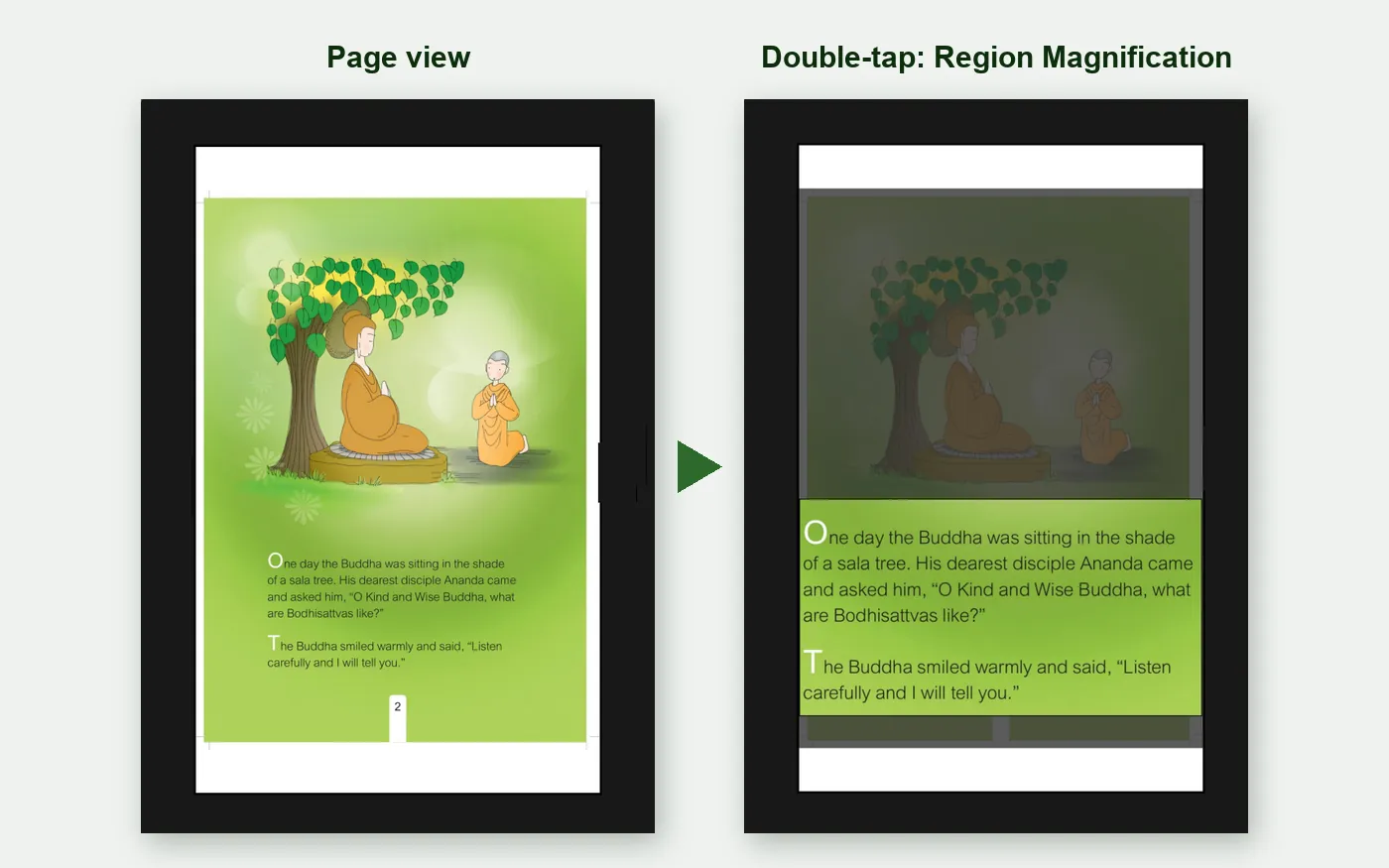
Kindle's fixed layout format uses a feature called Region Magnification (Amazon's guidelines call these text pop-ups) — a reader double-taps a specific area of the page, a block of text or a comic panel, and it enlarges to fill the screen. Tap again, and the full page returns. This is the tap-to-zoom experience your readers will actually use.
We want you to know upfront: even when built correctly with real, live text, this format does not support text search, and it does not support read-aloud or text-to-speech. These are limitations of the format itself, on every Kindle device and app — not something any conversion service, however carefully built, can add.
So why does live text still matter on Kindle fixed layout?
- ✓ Sharp, crisp zoom — Region Magnification enlarges real text cleanly. A flattened image blurs and pixelates at the same zoom level.
- ✓ Smaller file size — real text is far lighter than embedded images, which keeps your KDP delivery fee down and protects your royalty on every sale.
- ✓ Region Magnification working correctly at all — the zoom feature is built on the same live-text foundation. Get the text wrong, and the zoom can misbehave or fail entirely.
We tell you this upfront because we'd rather you know exactly what Kindle's format can and can't do before you order, than have you discover it after publishing.
See the Difference — Real Fixed Layout Kindle Examples
Getting the Technical Details Right
Region Magnification Metadata
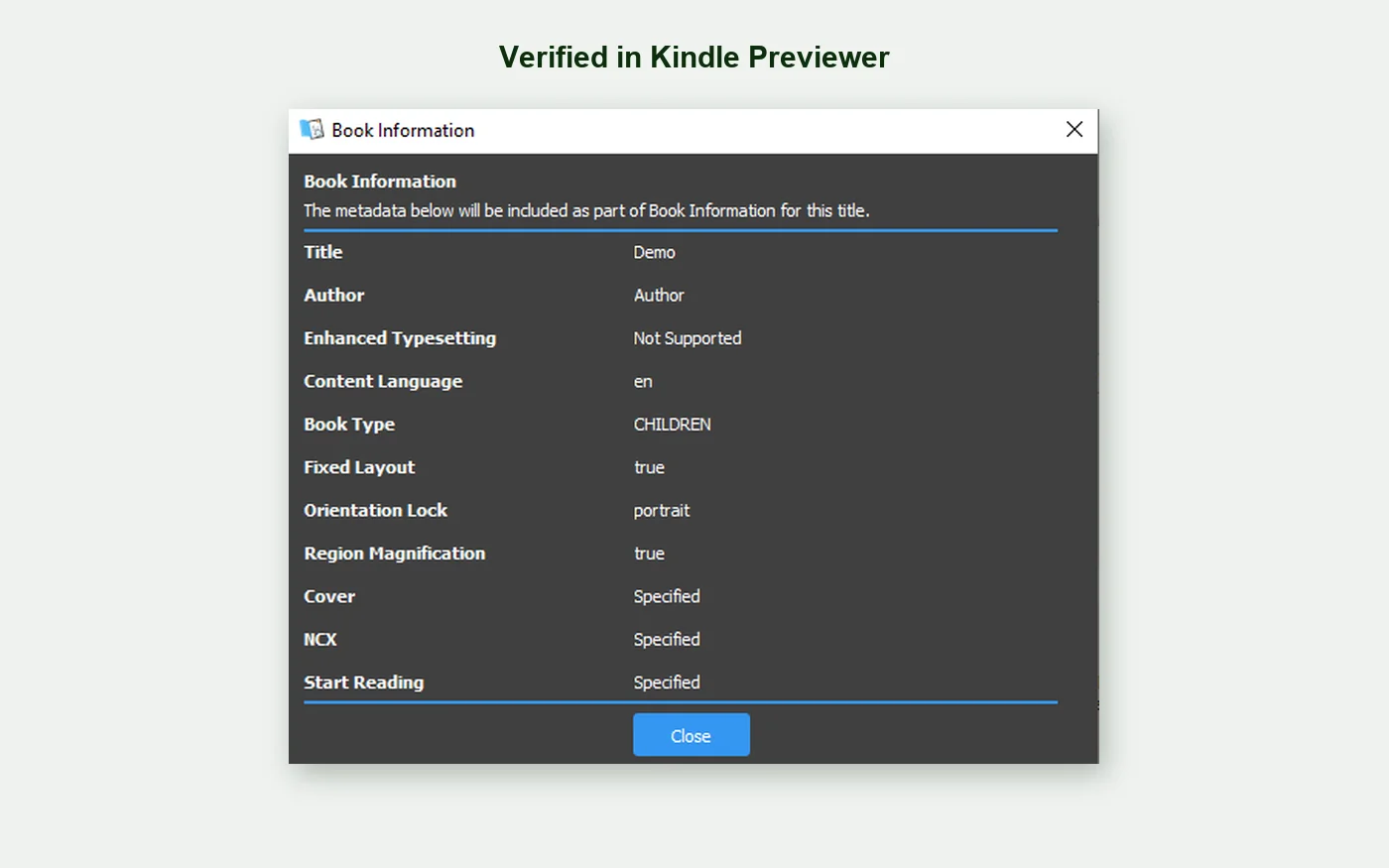
Requires a specific metadata flag set correctly in the file. Miss it, and the zoom feature won't activate at all — readers just see a static page.
Minimum Text Size
Amazon may de-list fixed layout books where text displays smaller than roughly 4mm in height. We build within this requirement from the start.
Manual Table of Contents
Automatic table of contents generation doesn't work for fixed layout on Kindle. Every entry has to be manually built and linked.
Why Fixed Layout Kindle Services That Use Automation Fail
What Automated Tools Produce
Missing or incorrectly configured Region Magnification, so zoom doesn't work at all or activates on the wrong area of the page. Text sized below Amazon's minimum, risking the book being de-listed. Image-based zoom that blurs and pixelates instead of staying sharp. Bloated file size from unnecessary rasterization, driving up the delivery fee. A table of contents that's broken or missing entirely, since automatic generation doesn't work for this format.
What Ebookifi Delivers
Region Magnification configured correctly on every page it's needed. Text sized within Amazon's requirements from the start. Real text that stays crisp when readers zoom in. Optimized file size that protects your royalty. A manually built, fully working table of contents. Tested in Kindle Previewer before it ever reaches you.
Who Fixed Layout Kindle Is For
Publishing a reference book or textbook where readers need to search the text? Kindle fixed layout's lack of search may not be the right fit — ask us, and we'll give you an honest answer, including whether our Fixed Layout ePub service (which does support search on Apple Books, Kobo, and Google Play) is a better match for that use case.
How Kindle Fixed Layout Formatting Works
Order → Upload → Hand-Code → Receive. The same simple process for every service — full detail, including exactly how we handle special requests and revisions, is on our How It Works page.
Fixed Layout Kindle Pricing
$1.00 per page — simple, transparent pricing based on your book's total page count.
| Book Length | Price (at $1/page) |
|---|---|
| Up to 20 spreads (≈40 pages) | Up to $40 |
| 21–40 spreads (≈80 pages) | Up to $80 |
| Over 40 spreads | Contact us → |
A spread is the two facing pages a reader sees together when the book is open. Pricing is calculated on total finished page count.
If your book contains complex elements or layouts — more than 40 spreads, panel-by-panel comic navigation, or very dense text on every page — please use our custom quote form so we can price it accurately before you order.
Every order includes: Live text with correct Region Magnification setup · Manually built table of contents · Complete source files · One revision pass · Lifetime warranty
Publishing on Apple Books, Kobo, or Google Play too? See our Fixed Layout ePub service — the same book, built correctly for those platforms, with full search support.
Source Files We Accept
Adobe InDesign (.indd, .idml), print-ready PDFs, or a manuscript with separate high-resolution image files and layout notes. Not sure what you have is usable? Send it to us and we'll confirm before you order.
Read What Our Clients Say
Real reviews from real authors, across every service we offer.
Fixed Layout Kindle — Frequently Asked Questions
No — this is a platform limitation, not a build quality issue. Even with correctly built, real live text, Kindle fixed layout does not support text search on any device or app. If search matters for your book, our Fixed Layout ePub service supports it on Apple Books, Kobo, and Google Play.
The tap-to-zoom feature Kindle fixed layout books use. A reader double-taps a panel or block of text and it enlarges to fill the screen; tapping again returns to the full page. It's the actual interactive feature Kindle readers experience, and we configure it correctly on every page it's needed.
No — like search, this is a platform limitation, not something we can add regardless of how the file is built. If read-aloud matters for your children's book specifically, see our dedicated Children's Book Formatting service — we can discuss whether a different format serves that need better.
Three real reasons: Region Magnification zoom stays sharp with real text instead of blurring like a zoomed image; real text keeps your file size — and KDP delivery fee — down, protecting your royalty; and Region Magnification itself is built on live text, so getting it wrong can break the zoom feature entirely. See the full explanation above.
Amazon may de-list fixed layout books where text displays smaller than roughly 4mm in height at original design size. We build within this requirement as standard.
Yes — see our Fixed Layout ePub service, for Apple Books, Kobo, and Google Play. Many publishers order both, since Kindle and ePub fixed layout are built to different platform specifications with genuinely different capabilities.
Fixed layout is designed for color screens — Fire tablets and the Kindle app on phones, tablets, and computers. E-ink devices can technically open these files, but the format is built and marketed for color, touch-screen reading. If your audience reads primarily on e-ink devices, tell us and we'll advise honestly on the best fit.
$40 for books up to 20 spreads (about 40 pages) and $80 for 21–40 spreads (about 80 pages) — $1 per page. Every price includes live text, correctly configured Region Magnification, a manually built table of contents, complete source files, one revision pass, and the lifetime warranty. Longer books are quoted individually. See the pricing table above.
Your Book's Design, Built Right for How Kindle Readers Actually Read It
Fixed layout Kindle at $1 per page. Correctly configured Region Magnification. 72-hour delivery. Lifetime warranty.