
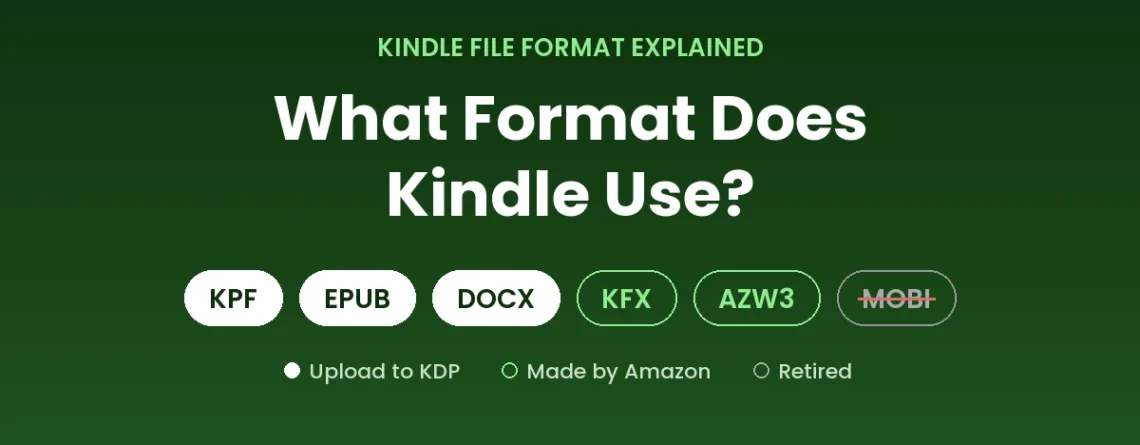
Kindle File Format Explained: What Format Does Kindle Use?
Last updated: October 2026 — reflects KDP’s current upload formats, the end of MOBI for fixed-layout books in March 2025, and Amazon’s current Send to Kindle file types.
There isn’t one single Kindle file format. The format a Kindle uses depends on what you are doing: reading a book you bought, publishing your own book on Amazon, or sending a document to your Kindle to read. Amazon delivers purchased books in its own Kindle formats, accepts KPF, EPUB and Word (DOCX) files from authors through Kindle Direct Publishing (KDP), and lets readers send their own EPUB and PDF files with Send to Kindle.
This guide explains each Kindle file format in plain language — what it is, when you need it, and which one to use — so you can stop guessing and upload the right file the first time.
Quick answer: what format does Kindle use?
- Books you buy: Amazon delivers them in its own Kindle formats (often seen as KFX or AZW3). You never create these yourself.
- Publishing on KDP: upload KPF (best for Kindle), EPUB or DOCX. MOBI is no longer accepted.
- Your own documents: use Send to Kindle with EPUB or PDF (plus TXT, RTF, HTML and images).
In this guide
- Kindle File Formats at a Glance
- What Format Do Kindle Books Use on Your Device?
- Which File Format Should You Upload to KDP?
- What Happened to MOBI?
- Reading Your Own Files on Kindle (Send to Kindle)
- Reflowable vs Fixed Layout Kindle Books
- How to Check Your Kindle File Before You Publish
- Common Kindle Format Mistakes That Cause KDP Rejections
- Kindle File Format FAQ
If you want to know which formats matter across all eBook stores — Apple Books, Kobo and Google Play as well as Amazon — see our guide to the top eBook formats for authors. This article focuses on Kindle only.
Kindle File Formats at a Glance
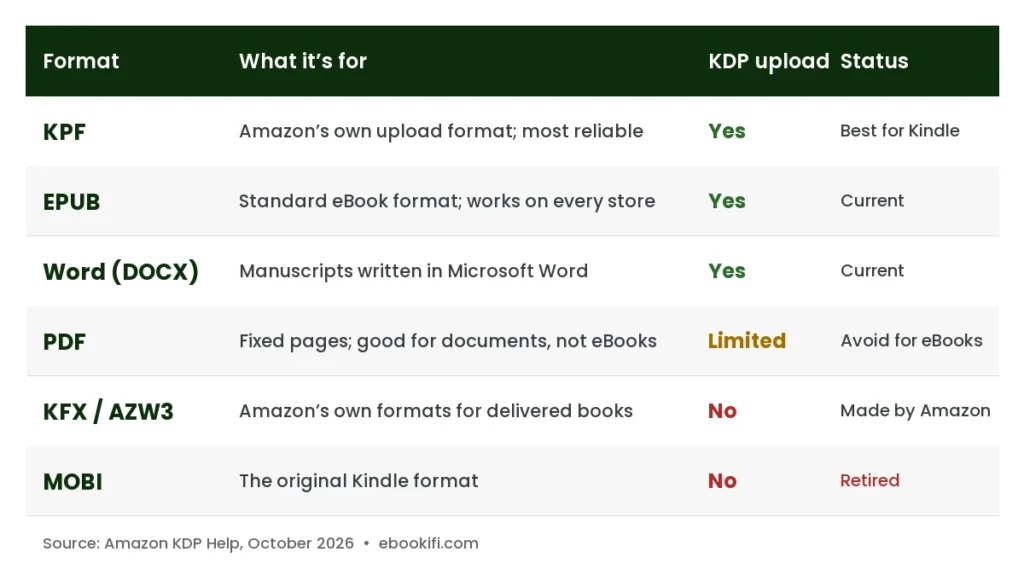
Here is every format you are likely to come across, and what each one is for in 2026.
| Format | Extension | What it’s for | Upload to KDP? | Status in 2026 |
|---|---|---|---|---|
| KPF | .kpf | Kindle Package Format — Amazon’s own upload format; made from an EPUB in Kindle Previewer, or with Kindle Create | Yes — best for Kindle | Current |
| EPUB | .epub | The standard eBook format; used by every other store and the source a KPF is built from | Yes | Current |
| Word | .docx / .doc | Manuscripts written in Microsoft Word | Yes | Current |
| Fixed pages; good for reading documents, poor for reflowable eBooks | Accepted, limited languages | Current, not recommended for eBooks | ||
| HTML, RTF, TXT | .html / .zip, .rtf, .txt | Simple text manuscripts | Accepted | Current, rarely the best choice |
| KFX / AZW3 | .kfx, .azw3, .azw | Amazon’s own formats for books delivered to Kindle devices and apps | No — Amazon creates these | Used by Amazon internally |
| MOBI | .mobi | The original Kindle format | No | Retired for KDP uploads |
What Format Do Kindle Books Use on Your Device?
When you buy a Kindle book, you don’t receive the EPUB or Word file the author uploaded. Amazon converts every uploaded manuscript into its own Kindle format and delivers that version to your Kindle, Fire tablet or Kindle app. Amazon doesn’t publish full details of these formats, but files in a Kindle library are commonly known as KFX (used for books with Amazon’s Enhanced Typesetting) and AZW3, also called KF8, the older generation.
For readers, the format is invisible — the book simply opens. For authors, the important point is that you never need to create a KFX or AZW3 file yourself. Your job is to upload a clean KPF, EPUB or DOCX; Amazon does the final conversion. The cleaner your upload, the better that conversion turns out.
Purchased Kindle books usually carry DRM (digital rights management) chosen by the publisher, which is why they open only in Kindle apps and devices linked to the buyer’s Amazon account.
Which File Format Should You Upload to KDP?
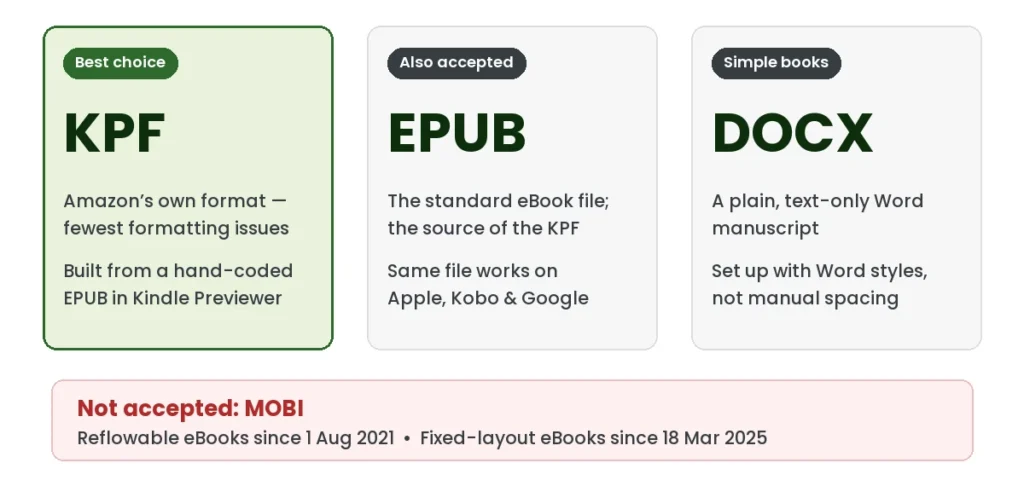
KDP lists three formats as its recommended and most commonly used options for eBooks: KPF, EPUB and Word (DOC/DOCX). All three work on Fire tablets, the Kindle app and Kindle e-readers. In order of preference:
1. KPF — the best format for Kindle
KPF (Kindle Package Format) is Amazon’s own upload format. KDP says KPF files let your eBook format easily and fit all Kindle devices, and calls KPF “a go-to method for avoiding any formatting issues.” Because the file is already in Amazon’s format, there is far less left to chance when KDP processes it.
There are two ways to make a KPF file:
- From a hand-coded EPUB, using Kindle Previewer. Amazon’s free Kindle Previewer converts a well-built EPUB into a KPF file. This keeps every detail of the hand-coded book — headings, images, tables, footnotes and the linked table of contents — and is how Ebookifi delivers every Kindle file.
- With Kindle Create. Amazon’s free layout tool also saves books as KPF. It suits simple books you lay out yourself using Amazon’s built-in themes.
A KPF file works only on Amazon, so keep the EPUB it was built from for Apple Books, Kobo and Google Play.
2. EPUB — the universal eBook file
EPUB is the industry-standard eBook format, and KDP accepts EPUB files that meet the Kindle Publishing Guidelines. A well-built EPUB controls exactly how your book looks: chapter breaks, headings, images, tables, footnotes and the clickable table of contents all behave the way they were coded. It’s the same file you publish on every other store — and it’s the source a professional KPF is built from.
3. DOCX — fine for simple, well-styled manuscripts
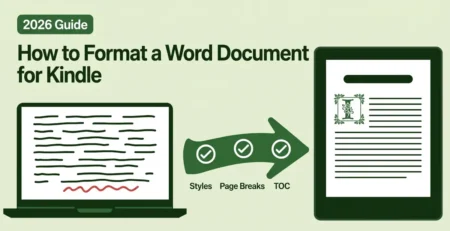
KDP accepts Word files directly, and most of them convert well. Amazon’s own help page warns, however, that files with complex formatting may not convert as well — and “complex” includes tables, images placed inside text, footnotes and manual spacing. If your manuscript is plain text with proper Word styles, a DOCX upload can work; our guide on how to format a Word document for Kindle shows how to prepare one.
What about PDF?
KDP does accept PDF for eBooks in a limited set of languages (English, French, German, Italian, Portuguese, Spanish, Catalan, Galician and Basque), but a PDF is a set of fixed pages, not flowing text. Converted into a reflowable Kindle book, it often loses its layout, headings and line breaks. Use PDF for print, not for your Kindle eBook.
Short version: upload a KPF for the most reliable result on Kindle, an EPUB if that’s what you have, or a DOCX only for a simple, well-styled text manuscript. If you would rather not deal with formats at all, our hand-coded Kindle conversion service turns your Word or PDF manuscript into a KDP-ready KPF file in 72 hours — built from a hand-coded EPUB and checked in Kindle Previewer.
What Happened to MOBI?
MOBI was the original Kindle format, and many older guides still tell authors to upload a .mobi file. That advice is out of date:
- Reflowable eBooks: KDP ended support for MOBI uploads on August 1, 2021. Reflowable books must now be uploaded as KPF, EPUB or DOCX.
- Fixed-layout eBooks: KDP stopped accepting MOBI for fixed-layout books on March 18, 2025. Fixed-layout books must now be uploaded as KPF or EPUB.
The change applies to new uploads and to updates of existing books. If you published a MOBI book in the past and are not changing it, Amazon says no action is required. But the next time you update that book — to fix a typo, change the cover or add a new back-matter page — you will need to upload it in a current format. If all you have is an old MOBI, our eBook validation and repair service can rebuild it as a clean EPUB.
MOBI is also not on Amazon’s current list of file types for Send to Kindle, so for reading your own documents, use EPUB instead.
Reading Your Own Files on Kindle (Send to Kindle)
If you want to read a document of your own on a Kindle — a manuscript to proofread, a report, a free eBook — use Amazon’s Send to Kindle service. It adds the file to your Kindle library so it appears on your devices and apps. Amazon currently lists these supported file types:
- EPUB (.epub)
- PDF (.pdf)
- Text (.txt), Rich Text (.rtf) and HTML (.html, .htm)
- Images: JPEG, GIF, PNG and BMP
Send to Kindle for Web accepts documents of up to 200 MB.
EPUB or PDF? For anything you want to read comfortably, send an EPUB: the text reflows to fit the screen and you can change the font size. A PDF keeps its original page layout, which suits forms, papers and illustrated layouts but means small text on a 6-inch e-reader.
Reflowable vs Fixed Layout Kindle Books
Every Kindle book is built in one of two ways, and choosing the right one matters more than the file extension.
- Reflowable books let the text flow to fit any screen, and readers can change the font and size. This is right for novels, memoirs, non-fiction and most text-led books.
- Fixed layout books keep every page exactly as designed, like a printed page. This is right for children’s picture books, comics, cookbooks, art books and anything where text and images must stay in position.
Since March 2025, fixed-layout Kindle books must be uploaded as KPF or EPUB. Kindle Create can produce a simple fixed-layout KPF; a hand-coded fixed-layout EPUB, converted to KPF in Kindle Previewer, gives you live, searchable text and precise control over features such as Region Magnification, which lets readers zoom into text panels. See our fixed layout Kindle formatting and children’s book formatting services for examples of what each approach suits.
How to Check Your Kindle File Before You Publish
Whatever format you upload, check it before you press Publish:
- Kindle Previewer. Amazon’s free desktop app shows how your book will look on a Kindle e-reader, tablet and phone, in both orientations and with different fonts. It opens EPUB, KPF, HTML and Word files (Word support is limited to English-language content) and can step through the whole book so you can review every page.
- EPUBCheck. If you are uploading an EPUB, run it through EPUBCheck, the official EPUB validator, to catch structural errors that can cause a rejection or a broken layout.
- KDP’s online previewer. After uploading, use the preview in your KDP bookshelf for a final check of the converted file.
Common Kindle Format Mistakes That Cause KDP Rejections
- Uploading a MOBI file, or an old file someone exported years ago
- A Word manuscript built with spaces, tabs and manual line breaks instead of styles
- A table of contents that doesn’t link to the chapters
- Images that are too small, placed inside text boxes, or missing alt text
- Uploading a PDF for a reflowable book and getting broken lines and lost headings
- Choosing reflowable for a picture book, or fixed layout for a novel
Our free Kindle formatting checklist covers 25 fixes to make before you convert — no email required.
Kindle File Format FAQ
What file type does Kindle use?
Kindle devices and apps display books in Amazon’s own formats, commonly known as KFX and AZW3. To publish a book, you upload KPF, EPUB or DOCX to KDP — KPF is the most reliable — and Amazon converts it. To read your own files, send EPUB or PDF with Send to Kindle.
Can Kindle read EPUB?
Yes, through Send to Kindle. Amazon lists EPUB as a supported file type, and the book is added to your Kindle library. EPUB is also the recommended format for uploading a book to KDP.
Can Kindle read PDF?
Yes. You can send a PDF with Send to Kindle. It keeps its original page layout, so it reads best on larger screens such as Fire tablets; on a small e-reader the text can be hard to read.
What is AZW3?
AZW3, also known as KF8, is one of Amazon’s own Kindle book formats. Authors don’t need to create AZW3 files — KDP generates the Kindle version from the KPF, EPUB or DOCX you upload.
What is KFX?
KFX is the name commonly used for Amazon’s newer Kindle format, used for books with Enhanced Typesetting. Like AZW3, it is created by Amazon, not by authors.
Is MOBI still supported?
Not for publishing. KDP stopped accepting MOBI for reflowable eBooks on August 1, 2021, and for fixed-layout eBooks on March 18, 2025. Upload KPF, EPUB or DOCX instead.
What is the best format for a Kindle book with images?
A KPF built from a hand-coded EPUB. The EPUB keeps images in place, sized correctly and with alt text — which Word files often don’t — and converting it to KPF gives Kindle its most reliable upload. If the images and text must stay in a fixed position, such as a picture book or comic, the book needs a fixed-layout KPF or EPUB.
Can I convert EPUB to Kindle format myself?
Yes. Open the EPUB in Amazon’s free Kindle Previewer, check how it looks on each device, and convert it to a KPF file for upload. You can also upload the EPUB itself — KDP accepts it — but the KPF is the most reliable option. The cleaner the EPUB, the better the KPF.
Need a Kindle File That Passes KDP the First Time?
Ebookifi has hand-coded Kindle files since 2008. Send us your Word or PDF manuscript and we deliver a KDP-ready KPF file, built from a hand-coded EPUB and checked in Kindle Previewer, in 72 hours, from $30, with free source files and a lifetime warranty. See our Kindle conversion service →


Leave a Reply