
How Much Does Kindle Conversion Cost in 2027? Real Prices by Book Length
Last updated: November 2026 — current prices, what changes them, and the free options compared.
You’ve finished your manuscript, and now you need a Kindle file that KDP accepts and readers enjoy. The first question most authors ask is simple: how much does Kindle conversion cost?
This guide gives you real numbers. You’ll see what professional Kindle conversion costs by book length, what pushes the price up, what every price should include, and when a free do-it-yourself option is honestly good enough.
The short answer
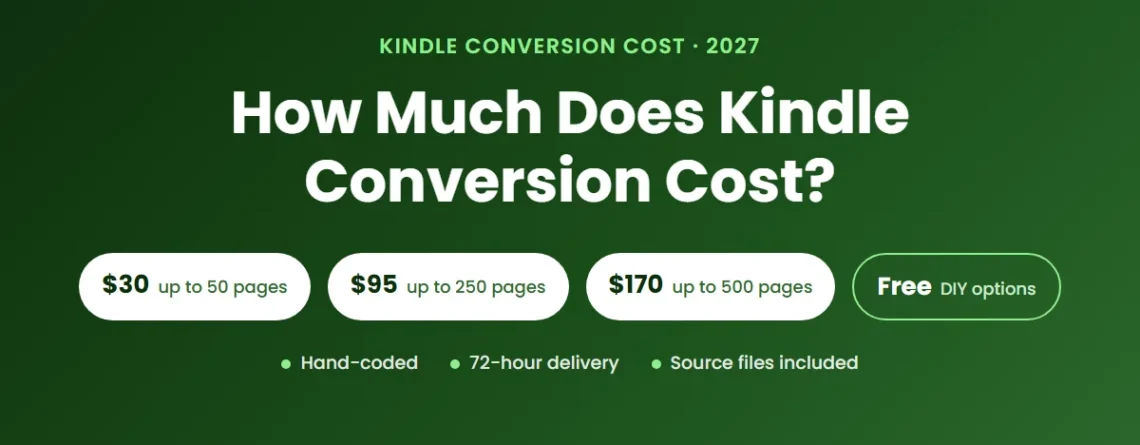
- Professional, hand-coded Kindle conversion: about $30 for a short book and $95–$170 for most novels and non-fiction (up to 500 pages).
- Complex books (tables, equations, heavy footnotes, many images, several languages): priced by custom quote.
- Do it yourself: free with Amazon’s Kindle Create, or a one-time licence for paid formatting software.
- Uploading to KDP is free. You pay for the conversion, not for publishing.
Kindle Conversion Prices by Book Length
Most professional services price Kindle conversion by page count, because longer books take longer to code and check. These are our prices for a hand-coded Kindle file. Page count is measured in Microsoft Word at 12pt, double-spaced, with standard margins.
| Manuscript size | Kindle only | Kindle + ePub bundle |
|---|---|---|
| Up to 50 pages | $30 | $40 |
| Up to 100 pages | $50 | $60 |
| Up to 150 pages | $65 | $75 |
| Up to 200 pages | $80 | $90 |
| Up to 250 pages | $95 | $105 |
| Up to 300 pages | $110 | $120 |
| Up to 350 pages | $125 | $135 |
| Up to 400 pages | $140 | $150 |
| Up to 450 pages | $155 | $165 |
| Up to 500 pages | $170 | $180 |
| More than 500 pages | Request a quote | |
The bundle adds an ePub file for Apple Books, Kobo and other stores for $10 more, instead of paying for a second full conversion. See the full list on our pricing page.
What Changes the Price of Kindle Conversion
Two books with the same page count can take very different amounts of work. These are the things that move the price, with any service.
1. Length
More pages mean more chapters, headings and links to code and check. That’s why almost every service, including ours, prices in page bands.
2. Complexity
A novel with plain chapters is the simplest kind of book to convert. Tables, mathematical equations, heavy footnotes or endnotes, many images, poetry with exact line spacing, or text in more than one language all take extra hand-work, because automated tools get them wrong most often. Expect a custom quote for these.
3. Your source file
A well-styled Word document is the cleanest starting point. A PDF works too, but the text has to be extracted and checked against the original page by page. A printed book with no digital file needs scanning and OCR first. Our free Word manuscript template and Kindle formatting checklist help you hand over a file that’s ready to convert.
4. Reflowable or fixed layout
Most books are reflowable: the text adjusts to the reader’s screen and font size. Picture books, comics, cookbooks with designed pages and other image-led books often need fixed-layout Kindle instead, which is priced separately because each page is built as a designed spread.
5. Turnaround
Our standard delivery is 72 hours. If you’re up against a launch date, rush delivery in 24 hours is a flat $25 extra.
What Every Kindle Conversion Price Should Include
A low headline price isn’t a bargain if the essentials cost extra. Before you order from anyone, check that the price includes:
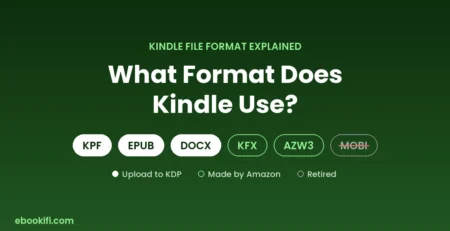
- A KDP-ready file — ideally KPF, the format Amazon recommends, or an EPUB that KDP accepts.
- A working, linked table of contents and correct chapter navigation.
- Testing in Kindle Previewer on phone, tablet and e-reader views.
- Your source files, so you can update the book later without starting again.
- Revisions after delivery, at no extra charge.
- A guarantee if KDP rejects the file.
Every Ebookifi conversion includes all of these, plus a lifetime warranty on the file. Read more about how we check every book in our quality standards.
Free and Low-Cost Options: When Are They Enough?
You don’t always need to pay for conversion. Here are the honest alternatives.
Upload your Word file straight to KDP (free)
KDP converts a Word document automatically when you upload it. For a short, plain-text book, this can be fine. Check the result in Kindle Previewer before you publish, because headings, spacing and images often shift. Our guide to formatting a Word document for Kindle shows how to prepare the file.
Kindle Create (free)
Amazon’s free Kindle Create app turns a Word file into a Kindle book with a choice of themes. It works well for straightforward novels. It’s less flexible for complex layouts, and you can’t use the result outside Amazon.
Formatting software (one-time licence)
Paid formatting apps let you design and export both eBook and print files yourself. They’re a good choice if you’ll publish many books and are happy to learn the software. They work from templates, so books with unusual layouts can be hard to get right.
Automated converters
Free converters such as Calibre change one file type into another quickly, but they don’t fix structure. Files often come out with broken tables of contents, odd spacing and bloated code, which KDP can flag on upload.
Rule of thumb: if your book is a simple novel and you’re comfortable checking it in Kindle Previewer, a free option may be all you need. If it has tables, images, footnotes, several languages or a deadline, or if you’ve already had a file rejected, a professional conversion usually costs less than the time and sales you’d lose.
The Hidden Costs of a Cheap Kindle File
The cheapest conversion can turn out to be the most expensive one:
- Rejected uploads and quality notices. KDP can block a book or flag it for formatting problems, which delays your launch.
- Reviews that mention formatting. One “the formatting is a mess” review can put readers off for years.
- Higher delivery fees. On the 70% royalty plan, Amazon charges a delivery fee for every copy, based on file size (US$0.15 per MB on Amazon.com). Bloated files from automated tools cost you on every sale. Our KDP royalty calculator shows the effect on your earnings.
- Paying twice. Many of our customers come to us after a cheaper conversion failed, and pay for the book a second time.
Worked Example: What a Typical Novel Costs
A 220-page novel (Word, 12pt, double-spaced) falls in the “up to 250 pages” band:
- Kindle only: $95
- Kindle + ePub for every other store: $105
- With 24-hour rush delivery: add $25
- Need a paperback too? A KDP Print paperback interior for 201–300 pages is $80.
New customers save 15% on their first order with the code FIRSTBOOK.
How to Get an Exact Price
- Open your manuscript in Word and set the text to 12pt, double-spaced, with standard margins.
- Check the page count in the status bar.
- Find your band in the table above, or on our Kindle conversion services page, where you can order straight away.
- If your book has complex elements, send it through our custom quote form and we’ll price it before you pay.
Frequently Asked Questions
How much does it cost to convert a book to Kindle?
For a professional, hand-coded conversion, most books cost between $30 and $170, depending on length. Books over 500 pages and complex books are quoted individually. Doing it yourself with Kindle Create is free.
Does Amazon charge to publish on Kindle?
No. Publishing through KDP is free. Amazon takes its share from each sale instead, and on the 70% royalty plan it also deducts a small delivery fee based on file size.
Is professional Kindle conversion worth it?
It’s worth it when your book has anything beyond plain text, when you’re publishing on a deadline, or when you want the book to look right on every Kindle device the first time. For a short, simple novel, a free tool may be enough.
How long does Kindle conversion take?
Our standard delivery is 72 hours, and rush delivery is 24 hours. Most standard orders are finished inside 48 hours.
Do I need separate files for Kindle and paperback?
Yes. A Kindle eBook is a reflowable digital file, while a paperback needs a print-ready PDF interior with fixed pages, margins and page numbers. You can order both from the same manuscript.
Know your price, then get it done right
Hand-coded Kindle files, tested in Kindle Previewer and delivered in 72 hours — from $30, with source files and a lifetime warranty. New customers save 15% with code FIRSTBOOK.


Leave a Reply